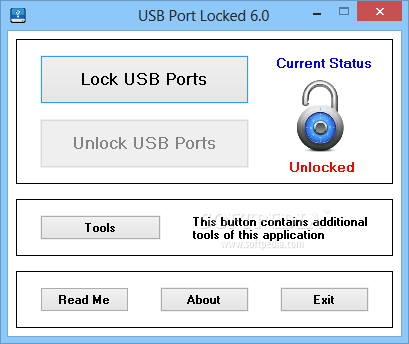
Frequent problems caused by user or malicious software, it seems quite apprehensive. No wonder if the various data protection can be found nowadays, ranging from applications access protection to hardware protection. One of becoming popular hardware protection is the USB port protection.
Computer is one thing that is easily found now. Once people go to official place they will find computer there. Actually, this stuff is not only can be found in formal places, it can also be found in informal places. Computer does really can be found anywhere. There will be many computers found in schools, hospitals, offices, hotels, factories, etc. Nowadays, computer is one thing that cannot be separated from people since it is helpful enough in helping people doing many things.
Dealing with computer, another thing that people need to know is computer spy. For those who have not been familiar with this term, what they need to do is checking Brickhousesecurity.com. This website will give more explanations about what computer spy actually is to the visitors of this website. There are three steps how to use it that are provided in this website. Bt visiting thus website, people will be able to know about the spesifications and about the features of this product.
Generally, we are only able to run bootable CD or DVD from its original media. You cannot just copy the installation files to USB flash drive and run them from the USB drive since bootable CD or live CD contains additional boot loader, different from non bootable CD. Then, here is a program that will let you copy bootable CD and DVD to USB flash drive, USB stick, HDD etc. It means, you can install Windows from the portable media to your computer or netbook. Of course it will certainly facilitate the installation process to netbook since most of netbook not equipped with optical drive. Read More...
The easiest way to resize multiple pictures is using a batch program named SNS-Resizer. Besides resizing multiple images, with this application you can add 'Picture taken on' data, frame, and watermark to images you want to modify.
First, download SNS-Resizer here (853kb). After download, you don't have to install anything because this is a portable application or no installation needed, so run it. Read More...
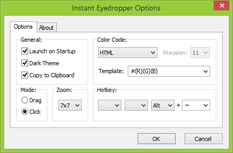
Instant Eyedropper is a free software tool for web designer or anyone dealing with online publishing that will identify and automatically paste to the clipboard the HTML color code of any pixel on the screen with just a single mouse click.
Identification the color code of an object on the screen is usually an involved, multistep process: You press the Print Screen key to copy a screenshot to the clipboard, load a graphics-editing program, create a new file, paste the screenshot from the clipboard, zoom in on the object, use the "Pick Color" tool, and finally copy the HTML code of the color to the clipboard.
Users may repeat this operation many times a day. Just imagine how much time can be saved by using Instant Eyedropper to do the same thing with a Single Click!
John's Background Switcher (or JBS for short) periodically switches the screen background image on your desktop (for every hour or every day) automatically to something interesting. The John's Background Switcher application stays in your system tray (down by the clock) and changes your wallpaper at the time interval of your preference.
You tell it where to get pictures from and how to show them - maybe you just wanna see one photo at a time or maybe you'd like to see a 'Snapshot Scrapbook' of photos thrown across your desktop. It's up to you and you never know what's coming next!
Here are some features of "John's Background Switcher":
Display Individual pictures on your computer.
Folders containing pictures on your computer such as 'My
Pictures'.
Flickr photo sharing - selecting pictures by person, tags, sets or
just plain random. You never know what you're going to get next!
Phanfare web albums - keep up to date with your friends and
family.
smugmug photo galleries - yours, your friends, anybody's!
Picasa Web Albums - choose from specific albums or any search
text.
Facebook - your friends photos on your desktop!
Yahoo! image search - the internet is your oyster!
Any Media RSS feed - choose pictures from sites like DeviantArt,
Photobucket, LOLCats and Zooomr amongst many others!
After watching a video in a web site like Youtube, Metacafe, Daily Motion etc., you may want to save the video file from Youtube and so on into your local disk for playing it offline in the future. If the video file is stored in your browser's cache, this utility can help you to extract the video file from the cache and save it for watching it in the future.
VideoCache View automatically scans the entire cache of Internet Explorer and Mozilla-based Web browsers (Including Firefox) and finds all video files that are currently stored in it. It allows you to easily copy and save the cached video files into another folder for playing/watching them in the future.
If you have a movie player that is configured to play flv files, it also allows you to play the video directly from your browser's cache.
The Gmail Notifier is a downloadable Windows application that alerts you when you have new Gmail messages.
It displays an icon in your system tray to let you know if you have unread Gmail messages, and shows you their subjects, senders and snippets, all without having to open a web browser.
Once you install the Notifier, you'll be able to:
Automatically check for new messages every two minutes.
See a snippet of text from up to 30 unread messages.
Select a sound to indicate when you have new mail.
NeoBirthday - your birthday calendar - is a computer program that keeps birth dates in a calendar, reminds the user about upcoming birthdays and informs the Zodiac and Chinese Signs.
NeoBirthday will provide any computer user with a practical, easy and fun way of keeping the birth dates of relatives and friends.
Here are some key features of "NeoBirthday":
NeoBirthday is a computer program that keeps birth dates in a calendar, reminds the user about upcoming birthdays and informs the Zodiac and Chinese Signs.
NeoBirthday provides any computer user, experienced or not, with an easy, practical and fun way of keeping the birth dates of friends and relatives and of knowing about people signs.
With NeoBirthday, the user doesn't have to spend long hours learning how to deal with complicated personal information managers, spreadsheets or database managers, just to accomplish the simple task of being reminded of birth dates.
Requirements:
Internet Explorer 6 or later
Limitations:
Does not allow the user to include more than 12 birthdays.
Does not allow the user to export or import the data file.
Rainlendar is a customizable calendar that displays the current month.
Rainlendar Lite is a very lightweight application that doesn't use much system resources or take much space on your desktop.
Rainlendar is a feature rich calendar application that is easy to use and doesn't take much space on your desktop. The appearance can be customized with skins and you can even mix different skins together.
It is possible to use Rainlendar with other calendar applications too. Rainlendar uses the standard iCalendar format to store its events and tasks so you can easily transfer them between applications. You can also subscribe to online calendars and see your Outlook appointments directly in Rainlendar.
Rainlendar is an unicode application and support localization so you can use it on your own language.
All the coming events are shown in a separate list where you can see the week's events at one glance. You can decide how many days in advance you want to see in the list. Different events can have a different appearance in the list so you can easily spot the important events from the others. The icons in the calendar are also available in the event list and other windows to make it easier to separate the events.
You can also have a separate list for your long term tasks. The task list can be arranged several ways so that you can keep it better organized. You can also set a due date for the tasks to make sure you'll remember to do them on time.
You'll also get an alarm when an event or task is due so that you don't miss it. The alarm can be defined to be set off any duration before the actual event so you have time to prepare for it.
And that's not all. Check the list of features for better overview of all the things Rainlendar can do. If you find it useful go to the download page and get yourself a copy.
Mozilla Sunbird is a redevelopment of the Mozilla Calendar extension. Our goal is to produce a cross platform standalone calendar application based on Mozilla's XUL user interface language. At the moment the "Sunbird" name is a project name. It is not official and may change in the future.
Our intended user is someone who uses Mozilla Firefox (or another browser) as his browser, Mozilla Thunderbird (or another mail client) as his mail client and wants a calendar application based on Mozilla.
In addition, by focusing solely on standalone calendar, we believe we can make some dents in the overall footprint and performance of the calendar application by removing components and chrome we don't need.
At the moment Sunbird is in an experimental stage. Although it is quite stable, we recommend it for testing purposes only.
Schedule is a feature-packed calendar program that keeps track of appointments, birthdays, and other special occasions. Schedule will notify you in advance of upcoming events by using its reminder feature. Schedule also includes a meeting function which allows you to schedule several people at one time for the same meeting, you can keep notes for your entries, and it also supports multiple users. Schedule can be run as a stand-alone program or over a LAN.
TKexe Kalendar enables the creation of photo calendars of any size.
Customization is very easy: position the elements by dragging them with the mouse and change the settings of any element by double-clicking it. 20 images can be added to a month. You can rotate the images and add special effects to them. Weeks can start on Sunday or Monday, and you can add your personal events. Each calendar page can be customized separately, but the settings can be applied for all months. Create calendars in any language; select national holidays from 10 countries. Save your customized calendar to an image file or print it to paper.
The software is available in English, German, Italian, Spanish, Czech, Hungarian, Dutch, Polish, Romanian and French.
UK's Kalender is a MS Windows program intended to remind you of upcoming events and to-dos. There are several views for your dates that are organized similar to a calendar sheet.
Dates and appointments can be entered into the calendar via an input form.You can enter a forewarn time, so as long as "UK's Kalender" is running in the background you'll be reminded of your dates as soon as the forewarn time is reached.
Independent from the calendar function there is also a to-do list where you can enter tasks with a deadline and a forewarn time. If the forewarn time is reached, "UK's Kalender" will inform you of the due tasks with symbols and colors.
Here are collection of free calendar software with many features and abilities. Read the short descriptions to suit your need or you may download all and reveal their 'secrets' by yourself. Because its long description so I separate them into two post.
Calendar Magic
On the first place, I very recommend Calendar Magic because it is simple, powerful, entertaining, informative, educational, and rich of tools calendar software. Here are some key features of "Calendar Magic":
Full year and individual month Gregorian, Afghan, Armenian, Baha'i, Bangla, Chinese, Coptic, Egyptian, Ethiopic, French Revolutionary, Hebrew, Hindu Lunisolar (3 variants), Hindu Solar, Indian National, Islamic Civil, Julian, Revised Julian, Parsi Fasli, Parsi Kadmi, Parsi Shenshai, Persian (2 variants), Sikh Nanakshahi and Vietnamese calendars. A user option is provided to choose between displaying/printing calendars showing each week starting on a Monday (in line with the ISO 8601 international standard), on a Sunday for North American users, or on a Saturday for Middle East users.
Alternative Gregorian "planning calendars".
A month-by-month, side-by-side comparison of any two of the 23 calendar systems listed above. The display remains synchronised as you change day, month and year values in either calendar system being viewed. Again, users may choose between displaying each month with weeks starting on a Saturday, Sunday or Monday.
Date conversions among the 23 calendar systems listed above, plus conversions to Balinese Pawukon, Thai solar, old Hindu Solar, old Hindu Lunisolar and Mayan date formats. Julian day value, day of week and day of year information is also displayed. For Gregorian dates, many other facts are displayed, such as modified Julian day value, Lilian day value and Rata Die day value, and year related information including Roman numeral form, Dominical Letter(s), Dionysian Period, Julian Period, Golden Number, Solar Number, Roman Indiction and Epact. Various special days are also recognized (e.g. Halloween), as are modern Olympic years, Commonwealth Games years, European Athletics Championship years, and World Athletic Championship years.
Lists of Western Christian festivals, Eastern Orthodox festivals, Hebrew festivals and Islamic festivals for any (Gregorian) year. In addition, Hindu festivals may be listed for any year in the range 2000 to 2043, Baha'i festivals from 1845 onwards, Buddhist and Chinese festivals from 1645 to 3000, and Sikh Nanakshahi festivals from 1999 onwards.
"Observed Days" for any year from 1990 for over 230 countries and dependencies worldwide.
"Date Detective" command button to tabulate the weekday on which a specified Gregorian date d/m occurs for each of the years in the specified range y1 to y2.
"In Which Months?" command button to list, for a given year, the months in which a specified day of the month falls on a specified weekday.
The ability to create, display, update and delete reminders for events (birthdays, anniversaries, meetings etc.) for "this year", "next year" or "every year". When Calendar Magic is started up, both visual and audible warnings are given for "imminent" events (those occurring within the next seven days) for which reminders have been set. In addition, a calendar for any month, in this year or next year, may be displayed with day numbers highlighted in red for those days in the month for which reminders have been set. Left-clicking on any "red day" will cause the reminder(s) set for that day to be listed.
Tons of other useful, unique and wonderful features and tools.
CalendarPainter is a picture calendar builder and printer program providing several calendar designs. Any bitmap image can be added (even via Drag and Drop) to a month and any color can be selected for the month frame and week days. The calendar can be saved so it is possible to reuse it. Many more options possible!
Date Calculator is a very handy program for seeing how old you are in days, how many weeks till your 50th birthday, and how many shopping days until Christmas.
Desktop Calendar XP is a simple to use and lightweight calendar application, that will provide an easy on eye interface for the common calendaring needs of a Windows user.
It also comes with a good collection of pictures to beautify the calendar on your desktop. Moreover it comes with a beautiful Real-time Desktop Clock, feature-rich Wallpaper Manager and a built-in Alarm.
The Images in the Desktop Calendar are splendid and you can download more Image Packs from the web site. Each Image Pack contains 12 High Resolution pictures.
If you are a registered user (Registration is absolutely FREE), you can ask for image packs on special themes or you can add your own pictures to the Calendar.
Here are some key features of "Desktop Calendar XP":
Sometimes pictures produced by a digital or phone camera need to be edited before printed or published on internet. Especially pictures or photographs that was taken in dark/less lighting condition, moving object or taken by cheap digital and phone camera. There are many programs you can choose to fulfill your need of retouching digital image, one of them is Helicon Filter. Helicon filter is easy to use digital image editor even though for beginner because it process your image with wizard. This digital image editor offers several professional tools for editing process of an image.
Helicon Filter has an intuitive interface, help context and full screen preview for easy use and editing. Some professional photography editing tools included are selective noise reduction, sharpening without halos, haze compensation filter, chromatic aberration filter, distortion and vignette correction. After editing, you can directly print the image, send by email or send to mobile phone.
Q-Dir is a file and folder explorer like Windows Explorer or Dual Explorer with many additional features and also, portable. These are features of Q-Dir:
Quadro view; allow you to open until 4 windows content 4 different location at the same time.
I-net search; displays summarize of a file like image dimension, file format, MP3 bitrate, file size, etc.
Screen magnifier; zoom into hovered area.
Quick Links; Jump to a specified location or open it in different windows.
Filter; select or highlight specified files by extensions.
Different filename and attributes color by extensions.
Easy drag and drop files and folders from one window to another.
You can install and runt it from removable media.
With Q-Dir you even able to save windows position and folder location for future uses!
Cons: No built-in file finder.
Download this file and folder manager here (191 kb is too small, isn’t it?)
Read More...
For any purposes, you may want to print or save your document into image format such as BMP, JPG, PNG, TIFF, PDF or even RAW. The cheapest and easiest way to do so is by installing a virtual printer; ImagePrinter. This virtual printer allows you to print from any program to image format. You can download the installer here (996 kb). After install, you can configure the options to what image format you would print in File Format tab. Define the print output folder and press OK. Next, to print you have to choose ImagePrinter on print dialog box from any software then print as usual. I tried it, A4 sheet with full text produces file size around 936 kb in TIFF format by LZW compression and image dimension 2480 x 3507 pixels. If you print to PDF, it doesn’t produce a postscript PDF file but a raster document.
--Update on 02/Oct/2010--
Many people come to this page looking for a PNG printer and the ImagePrinter doesn't work well to handle large paper size document, especially the presence of watermark added by the free version of the software as reported. After digging for better alternative, you may try PDFCreator (download it here). Similar with ImagePrinter, PDFCreator is a virtual printer that is able to produce a PDF file and some other image format and it works well to handle large size document and doesn't add any watermark. But, when it comes to PNG files, it's unable to produce a transparent background as it is PNG format's ability.
Better output
I myself prefer to use this method to produce an better (if I can't say best) image output especially from Microsoft Word document:
Export to PDF using Adobe Acrobat (choose press quality for best output)
Import the PDF files to CorelDraw. Even I will be able to re-edit the file.
Export to any image format from CorelDraw
However, if you're willing to pay for this kind of process, I can suggest you to purchase Zan Image Printer. Its ability to print to JPEG, TIFF, GIF, PDF, JPEG 2000, PNG and BMP files is very good.
Read More...
BluePOS Barcode Creator is a free and simple barcode creator. You only have to choose barcode type, enter the code and press create barcode button. Done. Barcode result will be generated in same folder as BluePOS Barcode Creator in BMP format. This free barcode maker supports many well known barcode format i.e. UPC-A, UPC-E, EAN 8, EAN 13, Codabar, Code 11, Code 39, Code 128, Interleaved 2 of 5. Also, no installation needed.
Easy Text To HTML Converter provides fast and easy conversion of Text Files (in *.txt, *.rtf formats) and Text Blocks pasted from Clipboard to HTML or XHTML formats.
During the conversion Text To HTML Converter adds to source text ONLY basic hypertext markup, without bloating it with secondary formatting elements. Therefore you can easily continue working on it in any external HTML-editor without having to replace existing formatting elements with new ones.
Note: RTF Files are converted without saving their formatting, like simple text files.
Easy Text To HTML Converter works in four different modes, placed on separate tabs of the main window: 'Single File', 'Files List', 'Text Block' and 'Table to HTML'. This allows to set conversion options matching to selected mode. Read more about existing modes on Working with Program page of this help.
The program allows you to set different options not only to operate program settings and generation process, but also to establish formatting mode, auto detection with replacement of special symbols etc. You can specify text parameters to detect paragraphs, detect hyperlinks, detect lists, replace special symbols with matching HTML code, set options for generating HTML [title> tags etc. For single file conversion you can also set a directory for output HTML file (when you perform multiple files conversion on 'Files List' Tab, all the output HTML files will be placed to the same folders as matching text files automatically). Read more about program options on Options page of this help.
Easy HTML To Any Script Converter provides fast and easy conversion of HTML Files and HTML Code Blocks pasted from Clipboard to any Script. You can use the existing script generation templates, create your own or edit existing templates directly from program window. ?he Setup Pack already includes 10 ready-to-use templates for ASP, C#, JSP, JavaScript, PHP, Perl, Python, Ruby, VB and VBScript. Generated scripts can be used for different purposes, e.g. you can include them to your server scripts, replace all identical places in your HTML pages with a link to generated JavaScript File and further edit only this file for applying changes to all linked pages — see 'What's New' section on different pages of easy HTools web site.
Also you can use it for encrypting the email addresses with JavaScript for preventing any access to them by spam-bots from your web pages.
The program works in four different modes, placed on separate tabs of the main window: 'Single File', 'Files List', 'Text Block' and 'Email to JavaScript'. First three tabs allow to perform the conversion matching to selected mode and the fourth tab is used for email addresses encryption. Read more about existing modes on Working with Program page of this help.
The program allows you to set different options to operate program settings and conversion process, change interface language etc. When you run program the first time its all options are established by default. Upon termination the configuration file in the program directory is created and all established parameters and attributes are remembered and at the following start of the program are restored. Read more about program options on Options page of this help.
For editing script templates, creating your own or deleting existing templates you can use the built-in Script Templates Editor, which allows to establish script formatting mode, auto detection with replacement of some symbols used in scripts etc. Read more about script templates editor on Script Templates Editor page of this help.
Easy HTML To Any Script Converter is completely freeware. It may be used and distributed without limitations, in its original form as available here. Please read carefully the license agrement before using this product.
QJot is a portable text editor as alternative of well known Windows editor, Wordpad. This application could perform general text editing such text formatting, inserting image and object, paragraph/line spacing, undo and others. The main differences with Wordpad is, QJot is portable. No installation needed at all. This portable text editor supports unicode, drag and drop, recent document list, word count etc. The base format of QJot is rtf with ability of open and editing old MS Word document (97-2002).
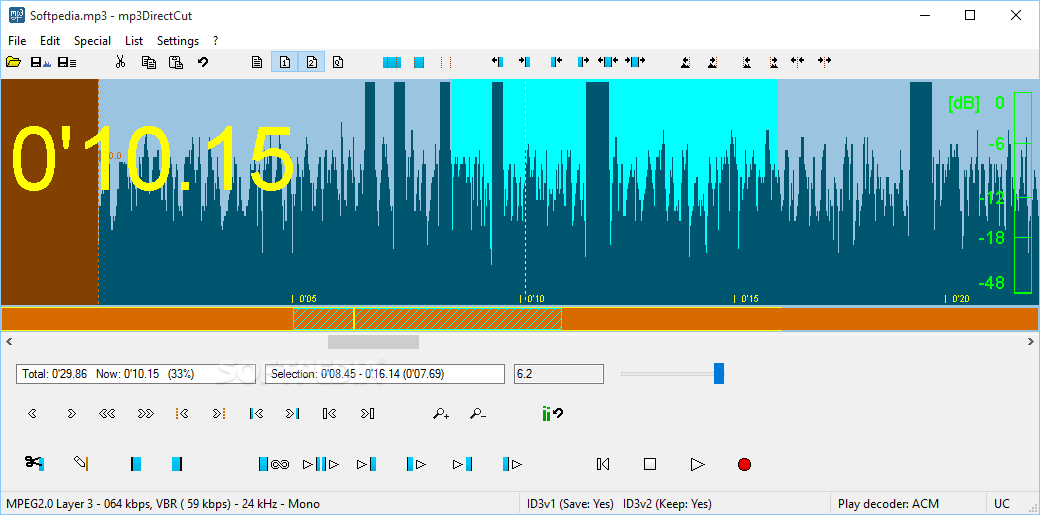
With mp3DirectCut, you can cut your favorite song and make it as ringtone without decrease the sound quality. You can edit, trim and modify directly an mp3 audio file without decompressing it to pcm. You can remove song lyrics, normalize volume, cut and join audio file, copying some parts etc. mp3DirectCut is very easy to use.
To real edit and modify mp3 files or other digital audio, you need another freeware; Audacity. Here are some abilities of Audacity:
Supports filetypes: .aup, .wav, .aif, .au, .mp3, .ogg and .lof
Able to generate silence, noise, tone, click track and pluck
You can record your own voice and music
Audacity allows you to manage and merge multiple audio track
You can zoom waveform until 0.000014 second so you can edit mp3 and other digital audio format in high accuracy
And of course, Audacity is able to manage both mono and stereo audio file
Other great ability of this free mp3 editor is availability of a lot of effects you need to edit and modify an mp3 and digital audio files.
In effects list you’ll find amplify, bass boost, change speed, change pitch, change tempo, fade in, fade out, remove noise, normalize volume, add echo and there are still many other effects.
This free digital audio editor will make you easier in analyzing plot spectrum, finding beats and silences.
So, by those facts I can say that Audacity is best free mp3 and digital audio editor until this time.
Say, you have collection of pictures and need to make it as slideshow and burn into dvd. To make so, you need DVD Slideshow GUI. It’ll possible you to make a slideshow with variety of animation and transition. Also, you’ll able to make changes to the pictures (zoom, pan, rotation), add video file (avi and avs), add music, motion background, border and subtitle.
After the slideshow making, you can export it to iso dvd, dvd folder, mpg, m2v, ac3, avi, avs, gfd, flv, stt, ssa, storyboard, chapter as smpte(txt) and chapter as frame number (txt) format.
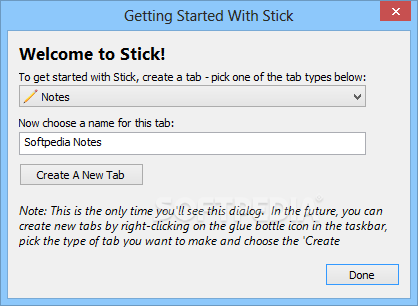
Do you often work with web browser, calendar, notepad and calculator? If you answer yes, so you’ll need this application. It called Stick. Stick collects web browser, explorer, taskbar, RSS reader, notepad, calculator and calendar into one application. All of those programs will displayed in their own tab on the desktop. It could be rather hard to be imagined, so you have to try it to understand.